Edit image metadata
with precision and
speed.

EXIFmod is a desktop app for batch-editing photo EXIF metadata using a preset catalog — camera, lens, film stock, author, and more. Optional Lightroom Classic integration and AI assistance for descriptions and keywords.
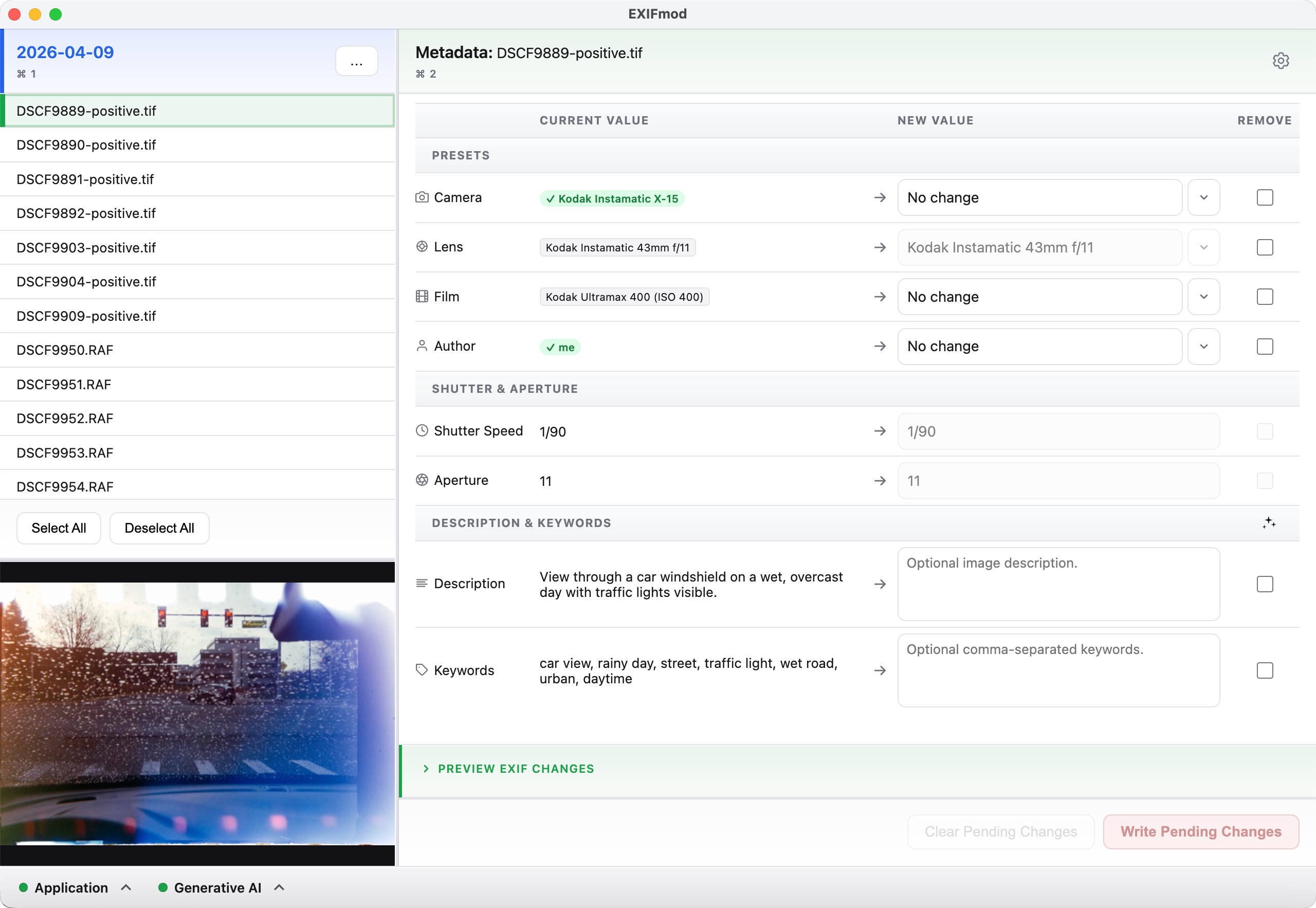
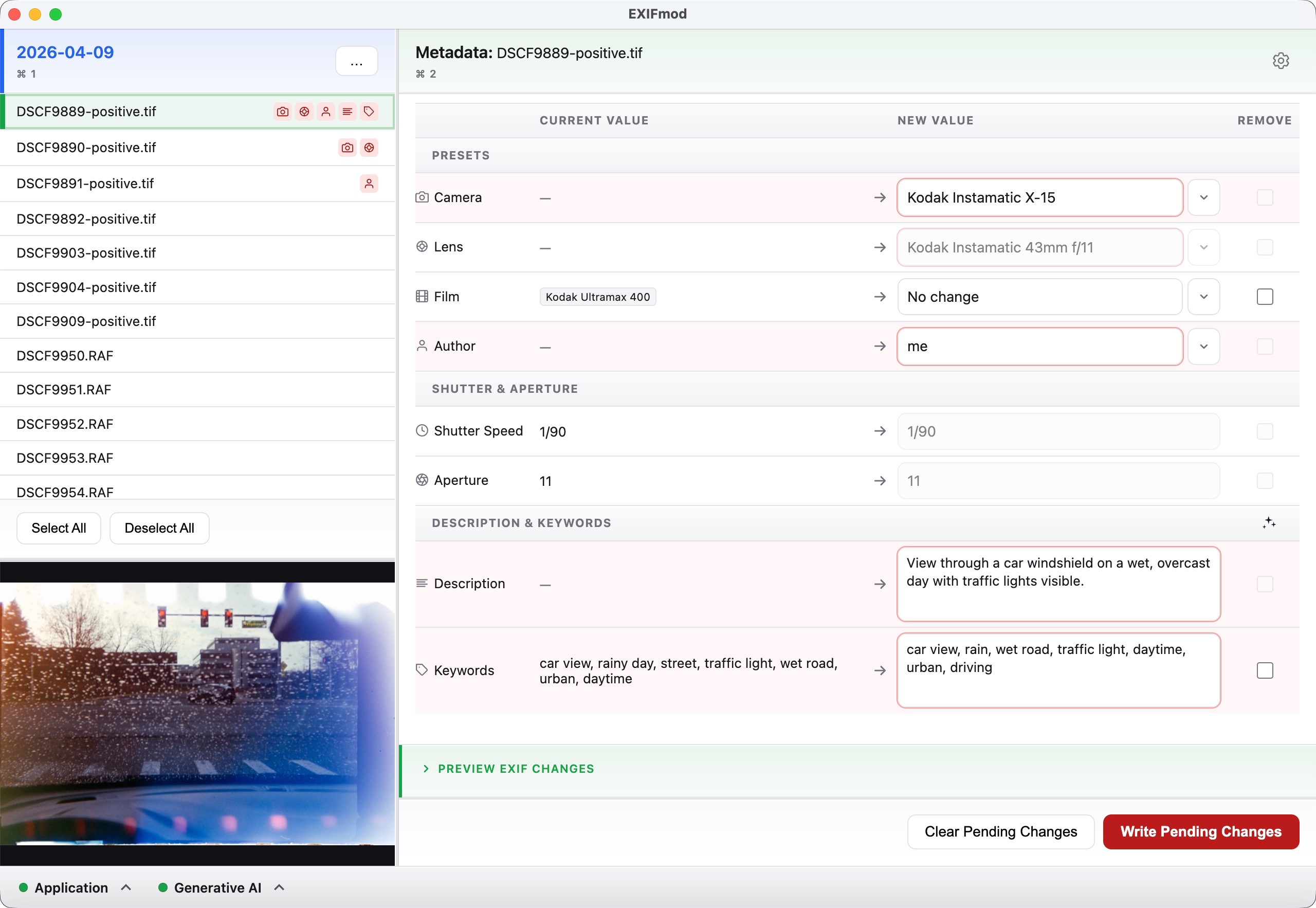
EXIFmod main interface showing metadata editing panel
EXIFmod editing metadata

From folder to finished metadata in seconds.

EXIFmod is built around a simple, repeatable workflow.

1

Open a folder

Point EXIFmod at any folder of images. It reads existing EXIF values immediately. You can also open a folder directly from Lightroom Classic.

2

Select files & apply presets

Pick images, then choose your camera, lens, film stock, and author presets from your catalog.

3

Add descriptions & keywords

Write them manually, or let a local AI model generate them from the image content. Requires Ollama. See the Ollama & AI section of the user guide for setup.

4

Preview & write

Preview every EXIF tag that will be written to your files, then confirm. Choose whether to create a backup of your original files.

Available for macOS and Windows.

macOS

Signed & notarized · Apple Silicon + Intel
Via Homebrew
brew tap prettyoaktree/homebrew-exifmod
brew install --cask exifmod
Direct download
Download .dmg

Windows

x64 · SmartScreen may appear on first run
Via Winget
winget install -e --id PrettyOakTree.EXIFmod
Direct download
Download .exe

Optional: Local AI for descriptions & keywords

EXIFmod can connect to a local AI model to automatically generate image descriptions and keyword tags — no cloud, no API key. See the user guide: Ollama & AI for setup.